Home › Blog › How to Make a Happy Deepavali Video With Music
How to Make a Happy Deepavali Video With Music
Last updated: November 8, 2026
A step-by-step guide to making a happy Deepavali video with music using Diya, from picking photos to choosing a song and sharing it on WhatsApp Status.
Published
Quick answer
To make a happy Deepavali video with music, pick a Deepavali template in Diya, add your photos, type a wish, and choose a song — the app syncs photos to the beat in about 3 minutes, ready for WhatsApp Status.
Key takeaways
- Pick 4-8 bright Deepavali photos — rangoli, diyas, sweets, family in new clothes
- Use a Deepavali template so the layout and colours already fit the festival
- Add a song from the free music library or your own song from your phone
- Beat-sync changes photos on the beat automatically, no timing needed
- Free videos carry a small Diya mark; Premium removes it and unlocks Full HD
The quickest way to make a happy Deepavali video with music is to pick a Deepavali template in Diya, add your photos, type your wish, and choose a song — the app syncs the photos to the beat and the video is ready in about 3 minutes.
What do you need to make a happy Deepavali video with music?
You need four simple things on your phone: a handful of Deepavali photos, a template that already fits the festival, a song, and a short wish line to type on the screen. That's it — there is nothing to download separately and no account to set up first.
Diya has templates made for Deepavali, so the colours, layout and animation style already suit the festival — you just drop your own photos in. Photos are made into the video right there on your phone and never uploaded, and there's no account needed to start. The whole app also works in 11 languages, so you can read every menu and button in the language you're most comfortable with, not just English.
How do you make it in Diya, step by step?
Once your photos are ready, the actual making of the video takes only a few taps. Here is the order to follow:
- Open Diya and choose a Deepavali template from the festival templates
- Add four to eight photos and arrange them in the order you want them to appear
- Type your wish — a name, a family greeting, or both
- Pick a song from the free music library, or choose your own song from your phone
- Check the preview, then save the video and share it to WhatsApp Status
Beat-sync is already switched on in most templates, so the photos change on the beat of the song by themselves — you don't need to time anything manually. If your video includes a longer greeting, lyrics mode can also show the wish line by line as the song plays, which reads well on a phone screen. Most people go from opening the app to a finished video in a few minutes, which matters when Deepavali messages start arriving early in the morning and you want yours out before the group chat fills up.
Which songs work best for a Deepavali video?
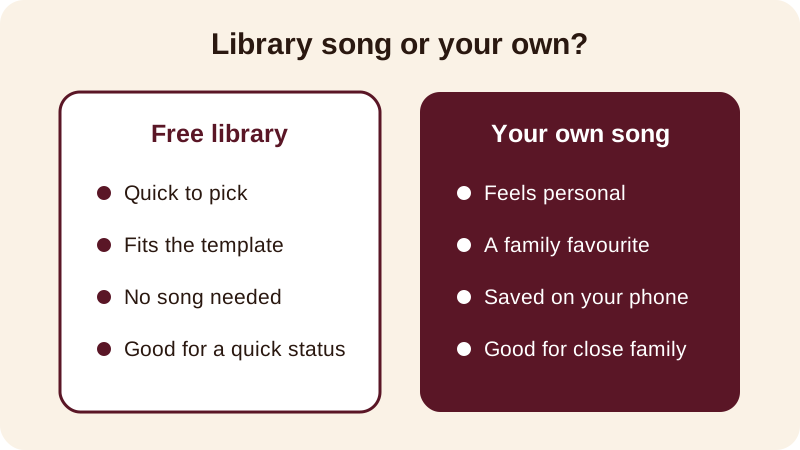
A festive, upbeat song usually suits a happy Deepavali video better than a slow one, since beat-sync changes photos on every beat and a lively track gives you more natural cut points. You have two choices for music in Diya — the free music library already built into the app, or your own song saved on your phone.
If your family has a song that plays every Deepavali at home, use your own song — it will mean more to the people watching than any other choice. If you don't have one in mind, the free music library has options already matched to festival templates, so you can just preview a few and pick the one that feels right for your photos. Try more than one song on the same set of photos before you decide — the same photos can feel completely different with a soft tune versus a lively one, and it only takes a moment to switch and preview again.
What should you write as the Deepavali wish?
Keep the wish short enough to read in two seconds, since most people watch a status video while scrolling. A name at the start makes a Deepavali wishes video feel personal rather than generic, and Diya's name art can turn that name into decorated lettering — in Outline, Neon or Matte style — so it stands out on screen.
- Happy Deepavali from the Nair family — may your home be full of light
- Wishing you joy, sweets and good health this Deepavali
- Shubh Deepavali, Amma and Appa — love you both
- May every diya this Deepavali bring you happiness
- Deepavali greetings to the whole family, near and far
If you're making this for one person specifically — a parent, a sibling abroad, or a close friend — put their name in the wish instead of a general greeting. It turns a festival status into something that feels made just for them. A separate video for your parents, with their names and a photo from last Deepavali together, often lands better than one long video meant for everyone. For more ready-to-copy lines and photo ideas, the Diwali status video guide and the happy Diwali video with name guide cover the same festival in more detail, since Deepavali and Diwali are the same celebration.
What does the free version include?
Your first 2 videos in Diya are free, and after that you get 1 free video every day. Free videos are made in 720p and carry a small "Diya" mark along with a short "Made with Diya" end card. There are no ads either way, free or Premium.
If you want to remove the mark and the end card, or export in Full HD 1080p — 4K on Android — Premium (Lifetime, Monthly or Annual) unlocks that along with premium templates. None of this changes how the video is made: you still pick a template, add photos, type your wish and choose music the same way. The app works in 11 languages and is available for Android and iPhone, through Google Play and the App Store. A festival calendar inside the app also reminds you before each date, so you're not scrambling to make a Deepavali, Chhath or Bhai Dooj video at the last minute.
For more ideas on syncing photos to a song for any festival, see how to add background music to photos, or check the festival status videos calendar for Deepavali, Chhath, Bhai Dooj and the festivals that follow it.
Frequently asked questions
Can I use my own song for a Deepavali video?
Yes. In Diya you can pick a song from the free music library or use your own song saved on your phone. Beat-sync then changes your photos in time with that song automatically, so you don't need to match timings yourself.
How many photos should I use for a Deepavali video?
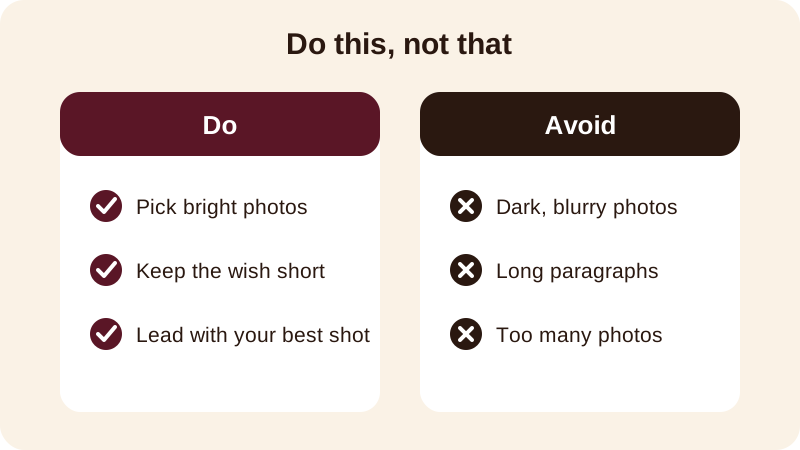
Four to eight photos usually works best for a status video. Pick ones that already feel festive — diyas, rangoli, sweets, new clothes — and lead with your brightest, clearest photo so it grabs attention in the first second.
Is a Deepavali video the same as a Diwali video?
Yes, Deepavali and Diwali are the same festival — Deepavali is simply how it's written and spoken in many South Indian languages. Diya's Diwali templates work the same way for a Deepavali video, with the same photos, music and wish text.
Will my Deepavali video have a watermark?
Your first 2 videos are free, then you get 1 free video every day, in 720p with a small Diya mark and a short Made with Diya end card. Premium removes both and unlocks Full HD 1080p, 4K on Android, and premium templates.
Do I need an account or internet to make the video?
No account is needed, and your photos are made into the video on your phone and never uploaded anywhere. You do need the app installed from Google Play or the App Store to begin.