What to show in a Dhanteras status
Dhanteras comes two days before Diwali. Many families buy something new that day — a utensil, a coin, a piece of jewellery or simply new diyas — and many pray for good health and prosperity. A Dhanteras status works best when it shows those small moments rather than generic gold graphics.
- The new things. A photo of the new steel kalash, the silver coin or the clay diyas you bought, set on a clean cloth with marigolds.
- The home getting ready. The freshly painted wall, the first rangoli of the week, the door toran. These photos tell people Diwali is on its way.
- The evening diya. Many homes light a lamp at the entrance on Dhanteras evening. One photo of it makes a calm, beautiful last frame.
- For shops. Your counter, your staff and your festive display, with a thank-you line for customers. Post it the evening before so people see it while they plan their shopping.
Keep the music bright but gentle; Dhanteras Gold starts with a festive Indian track. Keep the video short — the template runs about 14 seconds.
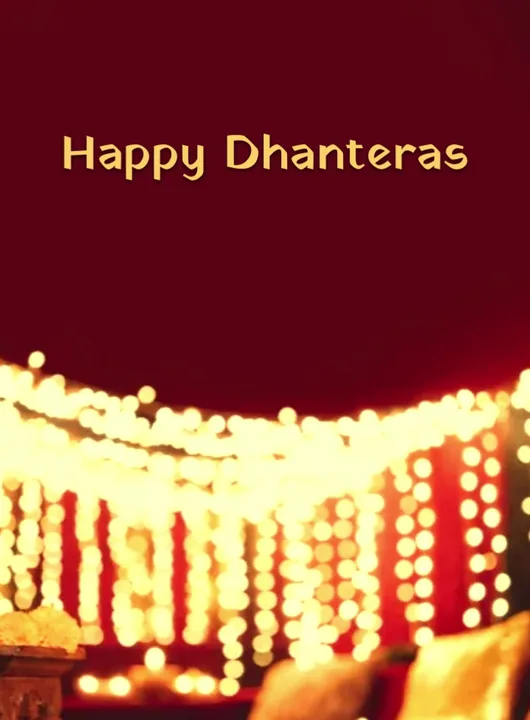
Template cover rendered by the app with sample photos.
11 Dhanteras wishes to copy
- Shubh Dhanteras! May your home shine like new silver.
- धनतेरस की हार्दिक शुभकामनाएँ — घर में सुख-समृद्धि बनी रहे।
- A new diya, a new beginning. Happy Dhanteras!
- May good health and good fortune walk in through your door today. Shubh Dhanteras.
- धनतेरस पर आपके घर खुशियों की बरसात हो।
- Dhanteras today, Diwali on Sunday — the countdown to light begins!
- Shine bright like gold, stay healthy, stay happy. Happy Dhanteras!
- शुभ धनतेरस — आपका हर दिन सोने सा चमके।
- From our shop to your home — Shubh Dhanteras, and thank you for your trust.
- Small purchase, big blessing — Happy Dhanteras to you and your family.
- Lamps cleaned, rangoli ready, sweets on the way. Shubh Dhanteras!
How to make a Dhanteras status video with Diya
Dhanteras templates sit in the Diwali category in Diya.
- Open a Diwali template. Install Diya from Google Play or the App Store and open it. In the templates, pick the Diwali category and tap a template to see its preview. Dhanteras Gold is the free Dhanteras template: gold coins and a lotus corner over your photos. Any Diwali template also works if you change the greeting. Templates marked Premium need a subscription; the others are free to use.
- Add your photos. Choose photos from your gallery. Dhanteras Gold takes 3 to 8 photos. If you pick fewer photos than the template has slots, Diya repeats them in a loop, so even two good photos make a full video.
- Type your wish and your name. On the Add your text screen, type your greeting and your name. Dhanteras Gold starts with “Happy Dhanteras”; replace it with a wish from the list above if you like. Leave a line blank to skip it.
- Pick the music. Each template starts with a track from Diya's music library. Tap Choose music to switch (tracks with a lock are Premium). Keep Beat-sync on and the photos change on the beat. To use your own song, open Edit clips & timing, then music, then Import from phone — only use a song you have the right to share.
- Make the video. Tap Make video →. Diya builds it on your phone in a portrait 9:16 frame and saves it to your gallery. Free videos export in 720p with a small “Diya” mark and a short “Made with Diya” end card; Premium exports 1080p (4K on Android) with neither.
- Share it to WhatsApp Status. On the Your video is ready! screen, tap WhatsApp (on Android) or Export & share and pick WhatsApp, then choose My status and send. You can send the same file to family chats and groups too.
When to post it
- Families: post on the morning of Friday 6 November. The status stays up for 24 hours, through the evening lamp.
- Shops: post on the evening of Thursday 5 November so customers see it before they head out, then post a fresh one on the day.
- Plan your free videos. After your first two, the free plan gives you one new video a day. Make the Dhanteras video on the 5th or 6th, the Diwali video on the 7th, and you're covered for the big day. Diya's festival calendar reminds you on the day.
Next up: the Diwali status video for Sunday 8 November, and the full festival calendar.
Questions people ask
When is Dhanteras in 2026?
Dhanteras is on Friday, 6 November 2026, two days before Diwali (Sunday, 8 November).
Is there a Dhanteras template in Diya?
Yes. Dhanteras Gold is a free template in the Diwali category. Any Diwali template also works if you type a Dhanteras greeting.
Can a shop use Diya for a Dhanteras greeting?
Yes. Type your shop name in the second text line. Free videos end with a short “Made with Diya” card and carry a small “Diya” mark; Premium removes both.