Which day is Bhai Dooj in 2026?
The Government of India holiday list for 2026 gives Wednesday, 11 November. Lunar calendars differ on when the Dwitiya tithi falls, so some calendars show Tuesday, 10 November — and Diya's in-app festival calendar currently shows the 10th too, so its reminder may arrive a day early. Go by your family's calendar. The festival is also celebrated as Bhai Phonta in Bengal and Bhau Beej in Maharashtra.
What makes a good Bhai Dooj status
- Then and now. One childhood photo of the two of you, then one from this year. Two photos are enough — the free Bhai Dooj Tilak and Tilak Thali templates loop them to fill the video.
- The tilak moment. The thali, the roli and rice, the sweets. If you're together, take the photo right after the tilak.
- A line only they'll get. An old nickname or an inside joke makes the status personal; the wishes below give you a starting point.
- Living apart? Make the video from old photos and send it to your sibling directly as well as posting it — it's the next best thing to the tilak.
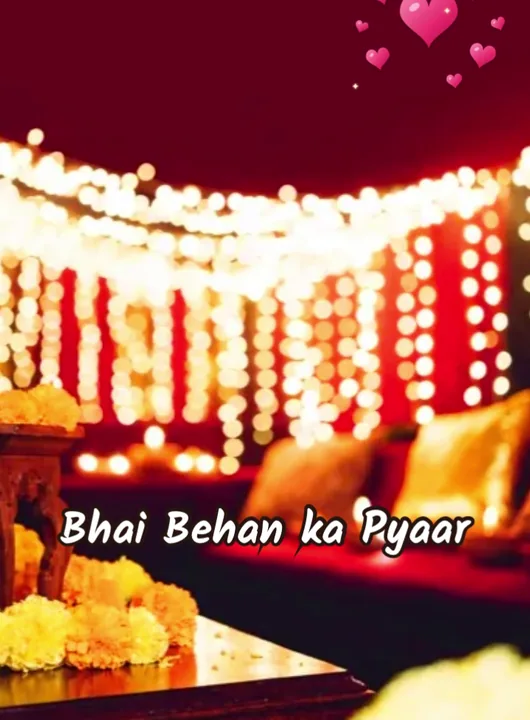

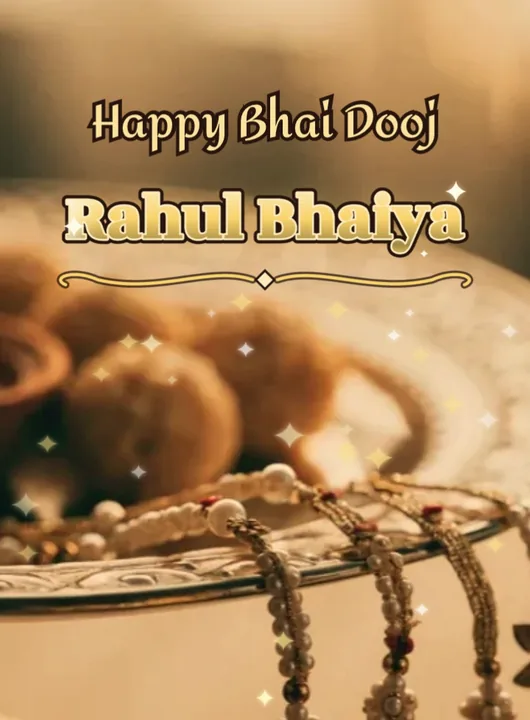
Template covers rendered by the app with sample photos.
12 Bhai Dooj wishes to copy
- Happy Bhai Dooj, Bhaiya — thank you for always having my back.
- भाई दूज की शुभकामनाएँ — मेरा भाई, मेरी ताकत।
- Tilak on your forehead, sweets in your hand, and a lifetime of fights and love. Happy Bhai Dooj!
- दीदी, तुम्हारे बिना हर त्योहार अधूरा है। हैप्पी भाई दूज!
- To the sister who still steals my sweets — Happy Bhai Dooj.
- Miles apart, but the tilak is on its way. Happy Bhai Dooj!
- भाई-बहन का प्यार सदा बना रहे — शुभ भाई दूज।
- Bhai Phonta greetings to my dearest brother — stay happy, stay safe.
- Happy Bhau Beej, Dada! Here's to many more years of laughter.
- My first friend, my forever protector — Happy Bhai Dooj.
- छोटी बहन की तरफ़ से बड़े भैया को ढेर सारा प्यार — हैप्पी भाई दूज।
- Sorry I can't be there for tilak this year — this video is my thali.
How to make a Bhai Dooj status video with Diya
- Open a Bhai Dooj template. Install Diya from Google Play or the App Store and open it. In the templates, pick the Bhai Dooj category and tap a template to see its preview. Free Bhai Dooj templates include Bhai Dooj Tilak, Tilak Thali and Bhai Behan Pyaar. Bhaiphonta, Bhau Beej Reel, Mithai Wishes and Bhai Dooj Name are Premium. Templates marked Premium need a subscription; the others are free to use.
- Add your photos. Choose photos from your gallery. Bhai Dooj Tilak and Tilak Thali take 2 to 6 photos; Bhai Behan Pyaar takes 3 to 10. If you pick fewer photos than the template has slots, Diya repeats them in a loop, so even two good photos make a full video.
- Type your wish and your name. On the Add your text screen, type your greeting and your name. Write to your brother or sister by name — “Happy Bhai Dooj, Bhaiya” — and sign it in the second line. Leave a line blank to skip it.
- Pick the music. Each template starts with a track from Diya's music library. Tap Choose music to switch (tracks with a lock are Premium). Keep Beat-sync on and the photos change on the beat. To use your own song, open Edit clips & timing, then music, then Import from phone — only use a song you have the right to share.
- Make the video. Tap Make video →. Diya builds it on your phone in a portrait 9:16 frame and saves it to your gallery. Free videos export in 720p with a small “Diya” mark and a short “Made with Diya” end card; Premium exports 1080p (4K on Android) with neither.
- Share it to WhatsApp Status. On the Your video is ready! screen, tap WhatsApp (on Android) or Export & share and pick WhatsApp, then choose My status and send. You can send the same file to family chats and groups too.
To put your sibling's name in big glowing letters, add a text layer in Edit clips & timing and choose the Name art style — it's free on any template.
When to post it
- Post in the morning, before the tilak, so your brother or sister sees it first thing. A status stays up for 24 hours.
- Add the tilak photos later. After the ceremony, make a second video from today's photos and send it to the family group.
- Plan the week. Diwali (8 Nov), Govardhan Puja (9 Nov) and Bhai Dooj come close together. With one free video a day after your first two, make each festival's video the day before.
Next: Chhath Puja status video (13–16 November), or see the festival calendar.
Questions people ask
When is Bhai Dooj in 2026?
The Government of India holiday list gives Wednesday, 11 November 2026. Some calendars, and Diya's in-app calendar, show Tuesday, 10 November; follow your family's calendar.
Can I make a Bhai Dooj video with only two photos?
Yes. The free Bhai Dooj Tilak and Tilak Thali templates start at 2 photos and repeat them in a loop to fill the video.
Can I add a Hindi song?
Pick a track from Diya's music library, or open Edit clips & timing and import a song from your phone. Only use a song you have the right to share.