Home › Blog › How Long Should a Slideshow Video Be?
How Long Should a Slideshow Video Be?
Last updated: October 11, 2026
Most slideshow videos should run one to three minutes, with the exact length depending on how many photos you have, where you're sharing it, and how personal the occasion is.
Quick answer
How long should a slideshow video be? Most work best at one to three minutes — short clips of 15-60 seconds for social media, and longer three-to-five-minute videos for memorials or reunions.
Key takeaways
- Aim for one to three minutes for most slideshow videos
- Give each photo roughly three to five seconds of screen time
- Keep videos for Instagram, TikTok, and WhatsApp well under a minute
- Memorial and reunion videos can comfortably run longer
- Let your chosen song's length guide your final cut
How long should a slideshow video be? Most slideshow videos work best between one and three minutes — long enough to tell a story, short enough that nobody reaches for the skip button.
How long should a slideshow video be, in general?
For a general-purpose photo slideshow — a trip, a birthday, a year in review — one to three minutes is the sweet spot. Give each photo roughly three to five seconds on screen: long enough for someone to actually look at it, short enough that the video keeps moving. Much past three minutes and even an interested viewer starts to drift, unless the occasion genuinely calls for more.
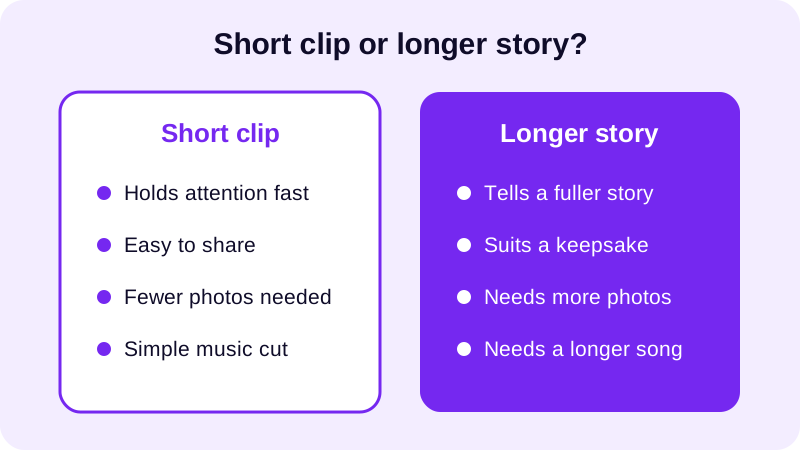
Think about who's going to watch it and how. A friend scrolling a feed gives a video seconds to earn their attention. A relative sitting down to watch a tribute after dinner will happily give it minutes. Match the length to that mindset before you start adding music or filters in a video from photos with music.
It also helps to think about pacing, not just total runtime. A video with varied transitions between photos feels shorter than one that cuts the same way every time, even at the identical length. Photo Video Maker offers 8 transition effects, so you can mix things up every few photos instead of letting the whole video feel like one long, repetitive loop.
How many photos do you need to fill that length?
Work backward from your target length rather than forward from your photo pile. If you want a one-minute video and each photo gets about four seconds, that's roughly fifteen photos — not the fifty you might have saved from the trip.
- Decide your target length first — thirty seconds, one minute, or a few minutes.
- Pick how many seconds each photo gets, usually three to five.
- Divide your target length by that number to get your photo count.
- Choose your strongest photos to hit that count, not every photo you have.
- Check the total against your music track and trim either side to match.
If you're building this on your phone, turning gallery photos into a video on Android usually starts with picking and reordering photos with drag and drop, so it's easy to see your count building up as you go and stop once you hit your target. The app's real-time preview also lets you watch the pacing back as you build, rather than guessing and exporting blind.
It's worth sorting your photos into rough groups before you start counting — arrival shots, the main event, and wind-down moments, for example. That way, when you trim down to your target photo count, you're cutting evenly across the whole story instead of accidentally losing the entire middle of the trip.
Does the right length change depending on where you're sharing it?
Yes — a lot. A slideshow meant for a group chat or a quick share behaves very differently from one meant to be watched start to finish on a bigger screen.
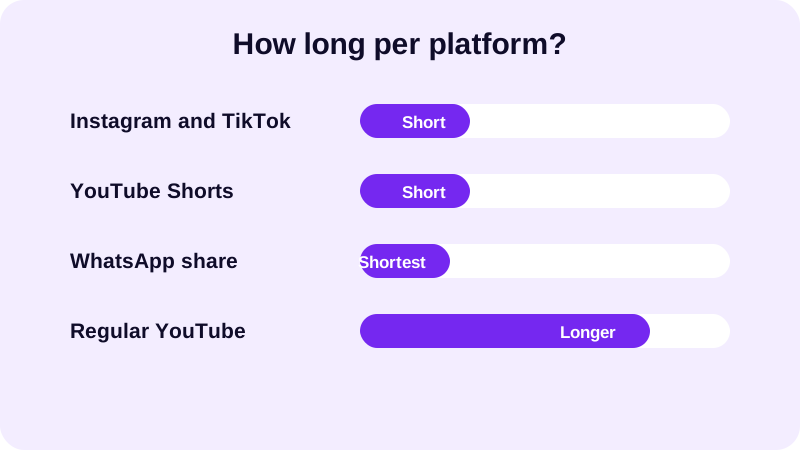
| Platform | Typical length | Why |
|---|---|---|
| Instagram & TikTok | 15–60 seconds | Viewers scroll fast and decide quickly |
| YouTube Shorts | Up to 60 seconds | Matches the Shorts feed's short-form format |
| WhatsApp share | Under 30 seconds | Easy to send and watch without buffering |
| Regular YouTube upload | 2–5 minutes | Viewers expect to sit and watch a fuller story |
If you're exporting for a vertical platform, get the aspect ratio for Instagram Reels sorted before you trim to length, and if YouTube is the destination, check the best video size for YouTube Shorts so your cropping and your timing line up from the start. It's much easier to set the aspect ratio once at the beginning than to re-cut a finished video because it was built the wrong shape for where it's going.
A WhatsApp share deserves its own thought, too. Group chats move fast, and a long video often gets skipped entirely or watched muted in a hurry. Keep that version genuinely short — a highlight reel rather than a full recap — and save the longer, fuller edit for a platform where people expect to sit and watch, like a regular YouTube upload.
What if it's for something more personal, like a memorial or family reunion?
Personal, sit-down videos get more leeway on length than anything meant for a feed. A memorial video, a reunion recap, or a baby shower slideshow is watched with full attention by people who want to see every face, so three to five minutes is completely normal — sometimes more if the event genuinely spans generations.
The key is still pacing, not just total runtime. Group photos into loose chapters — childhood, then more recent years, for example — rather than letting the video run long with no shape. A memorial video for a funeral or a family reunion video both benefit from this kind of structure: it gives a longer video a reason to keep going instead of just dragging.
The same thinking applies to lighter personal occasions too. A Valentine's Day video for him or a farewell video for a coworker doesn't need the full three to five minutes of a memorial, but it can comfortably run past a minute, since the person watching already cares about every photo in it. The rule of thumb is simple: the more personally invested your audience already is, the more runtime you can afford before they lose interest.
Whatever the occasion, preview the full thing before you export. Photo Video Maker's real-time preview lets you watch the pacing back at actual speed, so you can tell right away if a section drags or a transition feels rushed, and adjust before saving your final MP4. Once the length and pacing feel right, that's the moment to lock in your music, filters, and text and stickers — changing length afterward almost always means re-trimming everything else to match.
Frequently asked questions
How long should a slideshow video be for Instagram?
Keep it short — between 15 and 60 seconds works best, since Reels and feed videos are watched quickly and often on the go. Pick your strongest photos rather than trying to fit everything in, and match the aspect ratio to the platform before you export.
How many photos should I use for a 1-minute slideshow?
At three to five seconds per photo, a one-minute slideshow comfortably fits twelve to twenty photos. If you have more than that, trim down to the strongest shots rather than shortening each photo's screen time too much.
Is it okay for a memorial slideshow to be longer than a few minutes?
Yes. Memorial and tribute videos are watched differently than social clips — people expect to sit with them, so three to five minutes is completely normal. Build it around chapters of a life rather than rushing through every photo at the same pace.
Should the music length decide the video length, or the other way around?
Either can lead, but it's easier to pick your photos first, land on a rough length, then choose or trim a song to match. Cutting a song off mid-phrase right at the end is the one detail that makes a slideshow feel unfinished.
What's the biggest mistake people make with slideshow length?
Adding too many photos and giving each one only a second or two of screen time. The video ends up feeling rushed and nobody actually sees any single photo. It's almost always better to cut photos than to cut seconds per photo.